
Print to thermal receipt printers from any web application.
Portix.One connects your web app to local USB and network receipt printers through a secure local runtime. No browser print dialogs. No driver-specific code in your application.
Local-first architecture
Your web app sends the job. Portix.One handles the last mile.
Portix.One bridges browser-based applications and printers on the local network, without exposing the printer directly to the internet.
← status and errors flow back to your app
01
Integrate the SDK or API
Your application creates and sends a print job with the JavaScript SDK or a REST call.
02
Connect through the local runtime
The Portix.One Runtime securely receives the job on the device or network where the printer lives.
03
Print and receive status
Portix.One sends printer-ready output and reports whether the job was accepted, completed, or failed.
- ✓Local-first
- ✓Secure pairing
- ✓No browser print dialogs
- ✓USB & network printers
- ✓ESC/POS support
- ✓REST & WebSocket interfaces
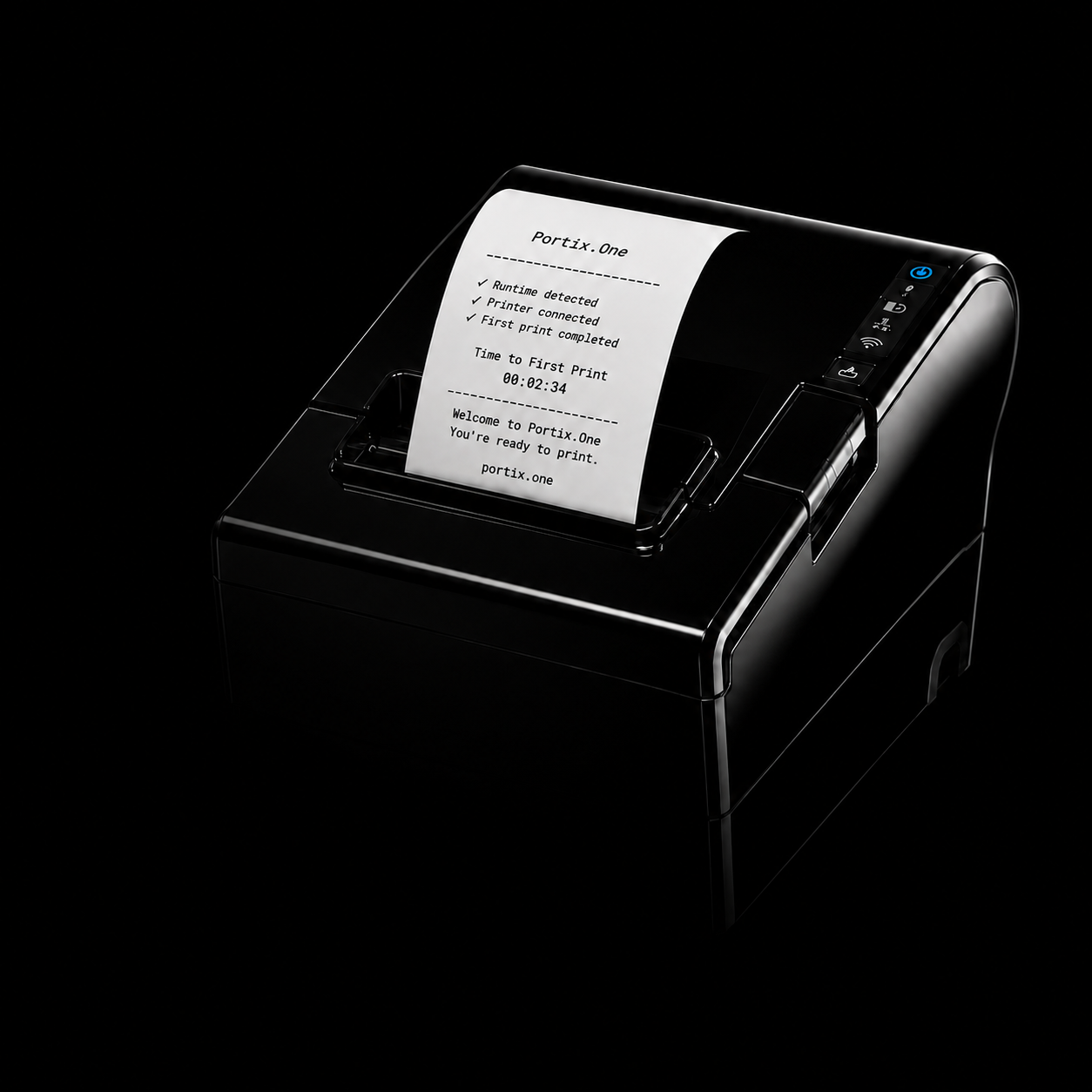
Time to First Print
A direct path to your first print.
Install the Runtime, pair your application, and send a real receipt.
01
Install the Runtime
Download and run the Portix.One Runtime on the Windows machine your printer is connected to.
02
Pair your application
Approve the pairing request from the Portix.One tray — one human action, done once.
03
Send a real receipt
Call print() from your app and watch a real job reach the printer.
Built for every way developers build
Choose how you want to integrate.
Start with the SDK, a framework example, a generated coding-agent prompt, or a low-code API recipe. Every path uses the same Portix.One Runtime and print-job model underneath.
How are you building?
Control pairing, printer selection, job status, and errors directly from your own application code.
Verified against Portix.One SDK 0.3.4 · manifest last verified 2026-07-14
Printing you can operate
Know what happened to every print job.
Browser printing often ends at the print dialog. Portix.One gives your application a controlled path to the printer with explicit status, errors, and recovery information.
Deterministic printing
Send jobs to the printer without asking staff to confirm a browser dialog.
Actionable errors
Distinguish runtime, connection, printer, and job failures.
Printer status
Surface readiness and job state inside the application workflow.
Local operation
Keep communication with on-site printers close to the devices that use them.
Secure pairing
Authorize applications and runtimes without exposing printers publicly.
Protocol support
Drive printer-ready workflows such as ESC/POS over USB and network.
Local security model
Local by design. Explicitly paired.
The printer stays on the local machine or network. Every web application must be approved before it can send jobs through the Portix.One Runtime.
- ✓Runtime bound to the documented local interface
- ✓Explicit application pairing
- ✓Revocable authorization
- ✓No public printer exposure
- ✓Documented local data flow
Built for real-world operations
One printing layer across the workflows your web app runs.
Retail & POS
Print receipts the instant checkout closes — without interrupting the cashier with a system dialog.
Thermal receipt · ESC/POS
Available in Developer Preview
Restaurants
Send orders to kitchen and counter printers as part of the order workflow.
Thermal receipt · ESC/POS
Available for compatible ESC/POS workflows
Warehouses
Generate labels from browser-based inventory and fulfillment tools.
Label printing
On the roadmap — not yet verified
Healthcare
Print labels, wristbands, or badges from controlled web workflows.
Label · badge printing
On the roadmap — contact us
Why Portix.One
Built for application-controlled printing — not browser print dialogs.
| Capability | Browser printing | Printer libraries | Portix.One |
|---|---|---|---|
| No user confirmation dialog | ✕ | ✓ | ✓ |
| Runs from any web framework | ✓ | ✕ | ✓ |
| Printer & protocol abstraction | ✕ | ✕ | ✓ |
| Explicit print status & errors | ✕ | partial | ✓ |
| No driver code in your app | ✓ | ✕ | ✓ |
| One integration surface | ✕ | ✕ | ✓ |
Built in public
Built in public, with developers testing real print workflows.
Portix.One is maintained infrastructure, not a prototype. Every release is versioned in public, and the source is open — read the code that talks to the Runtime instead of taking our word for it.
Tested with real hardware
Printer
SICAR WL88S
OS
Windows 11
Connection
USB
Protocol
ESC/POS
Runtime
0.1.0
Last verified
2026-07-14
Pricing
Start self-managed. Upgrade when printing becomes an operation.
The Portix.One SDK and self-managed Runtime are free. Paid plans add managed diagnostics, remote configuration, team controls, and fleet operations.
Free
Build and run self-managed printing workflows.
$0
- ✓ JavaScript SDK
- ✓ Mock mode
- ✓ Self-managed local Runtime
- ✓ Local configuration
- ✓ Direct printing
- ✓ Community support
- ✓ Public documentation and examples
Free does not include managed diagnostics, remote configuration, fleet visibility, release controls, or priority support.
Get StartedProduction
Managed operations for business-critical printing.
Contact us
Per managed Runtime / month
- ✓ Everything in Free
- ✓ Runtime health and diagnostics
- ✓ Managed release channel
- ✓ Version visibility
- ✓ Priority support
- ✓ Production troubleshooting tools
- ◌ Remote configuration — in preview
- ◌ Operational alerts — in preview
Scale
Operate printing across teams, locations, and Runtime fleets.
Contact us
- ◌ Organizations and teams — in preview
- ◌ Multiple locations — in preview
- ◌ Fleet health — in preview
- ◌ Centralized configuration — in preview
- ◌ Runtime version management — in preview
- ◌ Role-based access — in preview
- ◌ Audit history — in preview
- ◌ Priority support or SLA — in preview
Need something Scale doesn't cover yet? Let's talk.
Documentation
Everything you need to ship your first print workflow.
FAQ
Frequently asked questions about printing from web applications.
What is Portix.One? +
Portix.One is local-first printing infrastructure that connects browser-based applications to local printers through a secure runtime and a JavaScript SDK or API.
How can a web application print to a thermal receipt printer? +
Your app sends a print job to the Portix.One SDK or API. The local Portix.One Runtime receives it on the machine where the printer lives and sends printer-ready output to the USB or network printer.
Why does Portix.One use a local runtime? +
Printers live on the local network, not on the public internet. The Runtime bridges your web app to the printer without exposing the printer directly, and reports job status back to the application.
Does Portix.One replace printer drivers? +
No. Portix.One works with printers already available to the operating system. Your web application does not integrate with each manufacturer driver — there is no driver-specific code in your app.
Does it work with USB and network printers? +
Yes. The Runtime discovers printers over USB and the local network.
Which thermal printers and commands are supported? +
Thermal receipt printers using ESC/POS on Windows are the focus of the current Developer Preview. Broader printer and OS support is on the roadmap.
Does it work with React, Next.js, Vue, and Angular? +
Yes. Portix.One works with browser-based applications and modern web frameworks through the same SDK and API.
Can it print without opening the browser print dialog? +
Yes. Jobs go directly to the printer through the Runtime, with no browser print dialog.
What happens if the runtime or printer is offline? +
The SDK and API surface the specific problem — runtime not running, no printer found, or printer offline — instead of failing silently.
How is the web app paired with the local runtime? +
You approve a pairing between the browser application and the local Runtime. Both sides verify the relationship before any print job is accepted.
Does Portix.One confirm physical printing? +
The Runtime reports the most reliable terminal state the printer connection supports. When it cannot verify physical output, the API says the job was delivered to the printer rather than claiming it printed.
Does Portix.One currently offer no-code connectors? +
Not yet. Low-code teams can call the REST API directly today. A dedicated no-code connector is in preview — join the Developer Preview to be notified.
How is production usage priced? +
The SDK and self-managed Runtime are free, including production use. Managed operations — Runtime diagnostics, remote configuration, and fleet management — are paid, billed per managed Runtime. Production is in preview with no fixed price yet; Scale is quote-based.
Your web app is ready. Make the printer part of it.
Connect a local thermal receipt printer and ship your first controlled print workflow with Portix.One.
Developer Preview
Tell us about your use case — we'll reach out directly, no sales pitch.
The signup form isn't connected yet — set PUBLIC_SUPABASE_URL and PUBLIC_SUPABASE_ANON_KEY (see README.md).