
example · esc-pos
Barcode Receipt Example
Quick answer
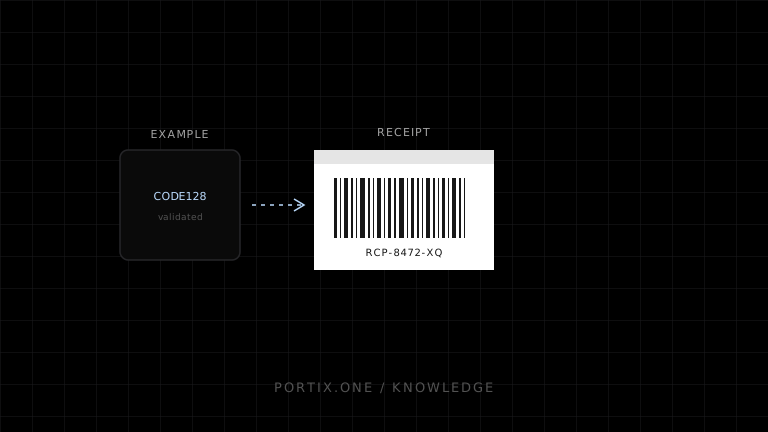
Encode a short opaque lookup identifier in a symbology supported by both printer and scanner. Validate the identifier before rendering, print a human-readable fallback, preserve quiet zones, and verify the decoded paper result exactly matches the source.
Quick answer
Encode a short opaque lookup identifier in a symbology supported by both printer and scanner. Validate the identifier before rendering, print a human-readable fallback, preserve quiet zones, and verify the decoded paper result exactly matches the source.
function buildReceiptLookup(receiptId: string, publicCode: string) {
  if (!/^[A-Z0-9-]{8,24}$/.test(publicCode)) {
    throw new Error("Unsupported receipt lookup code");
  }
  return {
    receiptId,
    symbology: "CODE128" as const,
    value: publicCode,
    humanReadable: publicCode
  };
}
Code 128 is useful for compact alphanumeric identifiers, but the exact subset syntax and printer implementation must be tested. For numeric retail identifiers, use the applicable standard and calculate check digits correctly; do not relabel an internal value as GTIN/EAN/UPC without meeting its rules.
Render the validated barcode through a verified ESC/POS encoder and the printer’s native barcode command, or through a rasterized image if the printer requires it. A Portix-specific barcode API isn’t documented yet.
Do not encode card data, authentication credentials, or unnecessary personal information. A public lookup code should be unguessable or protected by authorization and rate limits.
Verify
- Multiple scanners decode the exact source value.
- Quiet zones and width fit the receipt.
- Long codes are rejected before printing.
- Human-readable fallback matches.
- Lookup endpoint prevents enumeration.
Related content
concept
ESC/POS Barcodes
Learn how ESC/POS printers generate one-dimensional barcodes, including symbology, data validation, module width, height, HRI text, quiet zones, and verification.
example
QR Receipt Example
Add a scannable QR code to a receipt using minimal opaque data, safe URL construction, native or raster rendering, and paper tests.
troubleshooting
Barcode Not Printing
Diagnose missing or unreadable printed barcodes by checking symbology, data rules, ESC/POS commands, dimensions, quiet zones, and media.