
example · frameworks
Next.js POS Example
By Portix.One Published
Quick answer
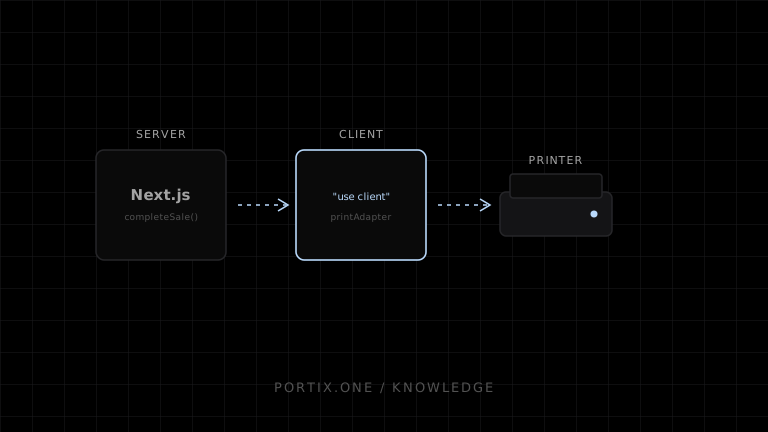
Finalize sales on the server and integrate the local printer only from a client component. Return a receipt snapshot and stable print key from the mutation, then submit it once through a browser or runtime adapter.
Quick answer
Finalize sales on the server and integrate the local printer only from a client component. Return a receipt snapshot and stable print key from the mutation, then submit it once through a browser or runtime adapter.
// Server-side domain function; call it from an authenticated route/action.
async function completeSale(input: CheckoutInput) {
  const sale = await sales.commit(input); // validates prices, tax, tender and idempotency
  return {
    receipt: sale.receiptSnapshot,
    printKey: `${sale.id}:receipt:${sale.version}`
  };
}
"use client";

export function PrintReceiptButton({ job }: { job: PrintJob }) {
  return <button onClick={() => printAdapter.submit(job)}>Print receipt</button>;
}

const printAdapter = {
  async submit(job: PrintJob) {
    // Browser path: render a dedicated route and call window.print().
    // A Portix-routed path isn't documented yet.
  }
};
Do not access a local runtime from a Server Component or serverless function: localhost there refers to the server environment, not the cashier workstation. Keep payment success independent from print success and store reprint reasons separately.
Verify
- Refreshing the success page cannot charge or print twice.
- Server recalculates price and tax.
- Runtime code loads only in the browser.
- Reprints reference the original sale.