
pillar · javascript
The Complete JavaScript Printing Guide
Quick answer
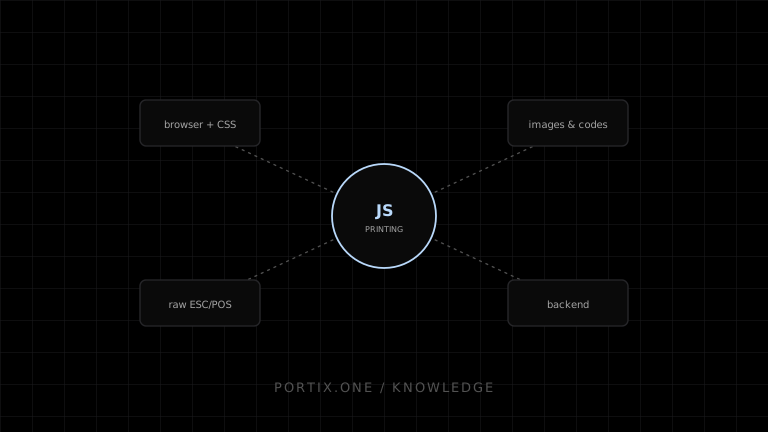
JavaScript can print through the browser's window.print() dialog, generate a PDF for portable output, or send raw ESC/POS bytes through a native or local-runtime transport for operational printing. Define one application-level print contract and implement adapters underneath it so a project can start with browser printing and add operational routing later without rewriting business logic.
JavaScript can drive printing at three different levels: the browser’s own dialog, generated documents, and raw device commands. Most real applications need more than one.
Browser printing
function printReceipt() {
  window.print();
}
window.print() opens the operating system’s print dialog for the current document, styled through a print-specific stylesheet. It is the simplest path and requires no additional infrastructure, but it always involves a dialog and cannot target a specific printer silently.
Define one application contract
type PrintContent =
  | { kind: "html"; html: string }
  | { kind: "pdf"; bytes: Uint8Array }
  | { kind: "raw"; bytes: Uint8Array };

type PrintJob = { id: string; printerId?: string; content: PrintContent };

interface PrintAdapter {
  submit(job: PrintJob): Promise<void>;
}
Keeping PrintJob independent of any specific transport lets a browser adapter, a PDF adapter, and a raw-command adapter all implement the same interface, so the rest of the application never branches on how a job will actually reach paper.
HTML and PDF
HTML printing relies on window.print() and print CSS. PDF generation produces a portable file suitable for download, email, or archival, and can be printed later by any PDF-capable device without depending on the browser session that created it.
Images
Rasterize images to the target printer’s resolution and color depth before sending them, whether through print CSS for browser output or as packed monochrome data for raw thermal output.
QR codes and barcodes
Generate codes client-side as an image for browser or PDF output, or use a printer’s native barcode/QR commands when sending raw bytes, which typically produces sharper results on thermal hardware.
Raw ESC/POS bytes
function concat(chunks) {
  const total = chunks.reduce((n, c) => n + c.length, 0);
  const out = new Uint8Array(total);
  let offset = 0;
  for (const chunk of chunks) {
    out.set(chunk, offset);
    offset += chunk.length;
  }
  return out;
}
Raw output is built as an immutable byte buffer, never as a Unicode string that might silently reencode command bytes. A helper like this one composes independent command and data chunks into a single buffer ready for a raw-capable transport.
Local runtime integration
The browser cannot use window.print() for silent named-printer routing or raw commands. A runtime adapter may provide these functions, but Portix connection, authentication, printer discovery, payload, submission, and status APIs aren’t documented yet.
Backend responsibilities
Server-side code often owns receipt/document rendering, PDF generation, and audit logging, while the client owns job submission and status display. Keep the print contract’s shape consistent whether a job originates client-side or server-side.
Testing strategy
Maintain golden-byte tests for raw command sequences, snapshot tests for generated PDFs and print CSS, and a periodic physical print-and-scan check for any QR code or barcode path, since rendering correctness in a test environment does not guarantee scannable output on real hardware.
References
- Window.print() — MDN, accessed Jul 21, 2026
- Uint8Array — MDN, accessed Jul 21, 2026
- ESC/POS command reference — Epson, accessed Jul 21, 2026
Related content
comparison
Raw Printing vs PDF Printing
Compare raw printer commands and PDF printing for receipts, labels, reports, portability, layout, drivers, speed, and maintenance.
example
React Receipt Printer Example
A React receipt example with stable data, print CSS, asset readiness, and a safe local-runtime integration boundary.
guide
How to Print from JavaScript
Print a web document with window.print(), prepare content and assets, apply print CSS, and choose when a local printing integration is required.