
pillar · thermal-printing
How Receipt Printers Actually Work
Quick answer
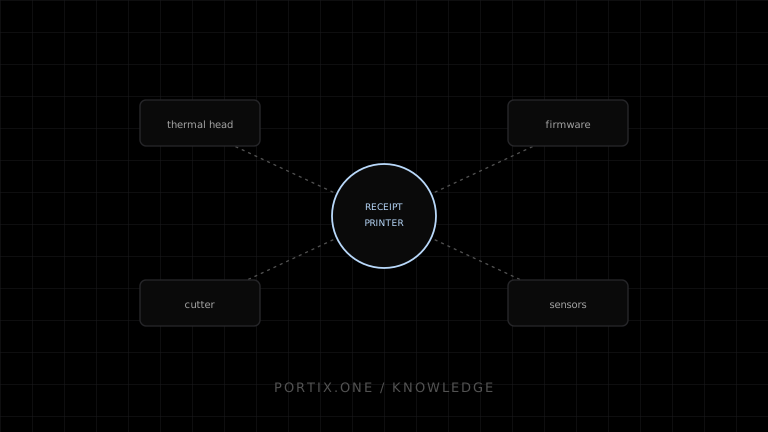
A receipt printer moves thermal paper past a heated print head that darkens pixels on contact, driven by firmware that interprets either rendered raster data or raw command bytes. Motors advance and cut the paper, an optional relay pulses a cash drawer, and sensors report paper-out, cover-open, and temperature conditions back to the host.
Most receipt printers are direct thermal devices: no ink or ribbon, just heat applied to chemically treated paper.
The thermal mechanism
A print head containing a row of tiny resistive elements presses against the paper. Applying current to a resistor heats it briefly, which darkens the paper’s coating at that point. A full line is formed by heating the appropriate elements while a motor advances the paper beneath the head.
Electronics and firmware
Firmware manages head timing and temperature to prevent damage, coordinates the paper-feed motor, buffers incoming data, interprets commands, and drives outputs like the cutter motor and drawer relay. Firmware versions differ across models and even across revisions of the same model, which is why identical byte sequences can behave slightly differently on different units.
Two common data paths
Some printers accept rendered raster or page data through an operating-system driver, converting it internally to head instructions. Others accept command-level bytes directly, giving the sender explicit control over formatting, cutting, and drawer pulses without an intermediate driver.
Text, images, and codes
Text is typically drawn from built-in fonts at the firmware level unless the application supplies a rasterized bitmap instead. Images must be converted to monochrome and packed into the row format the firmware expects. Barcodes and QR codes can either be rasterized like an image or generated natively by firmware that supports the relevant command set.
Paper movement and cutting
A feed motor advances paper before and after printing to clear the cutting mechanism. A cutter — full or partial — is a separate motorized or solenoid-driven component that only activates on an explicit command, after enough paper has been fed past the print line.
Cash drawers
A drawer connects through the printer via a modular port supplying a switched pulse, not continuous power. Pulse timing, voltage, and polarity must match the drawer’s specification, and unauthorized or repeated pulses should be treated as an operational and security concern, not just a wiring detail.
Sensors and status
Common sensors detect paper-out, near-end paper, open cover, and head temperature. These feed status responses back to the host, but the exact format, timing, and reliability of that reporting vary by model, connection type, and firmware — status should be treated as advisory rather than guaranteed.
What commonly fails
- Faded or blank output: head temperature, paper orientation, or wear.
- Gibberish text: firmware receiving raster commands as raw, or vice versa.
- Cut fails or is early: insufficient feed or a duplicated cut command.
- Drawer silent: wiring, port, or pulse parameters mismatched.
References
- ESC/POS command reference — Epson, accessed Jul 21, 2026
- USB Printer Class specification — USB Implementers Forum, accessed Jul 21, 2026
Related content
comparison
USB vs Network Printers
Compare USB and network printers for installation, placement, sharing, addressing, security, observability, and operational resilience.
concept
Receipt Printers Explained
Learn how receipt printers work, the differences between thermal and impact models, and how paper, cutters, connectivity, commands, and software affect POS printing.
pillar
ESC/POS Explained
A complete introduction to ESC/POS commands, byte streams, printer profiles, text encoding, images, QR codes, barcodes, cutters, status, and testing.
troubleshooting
Printer Prints Blank Pages
Find blank-print causes in HTML/CSS, page sizing, images, drivers, thermal media, command language, and application data.